


Denker for Windows

Point at your PC. Your agents take it from there.

Ask Claude Code, Codex or OpenCode from any app by pointing and talking. Get the answer, or the finished result, back where you work.

Free, with a 14-day Pro trialWindows 10 or 1164-bit (x64) PCs

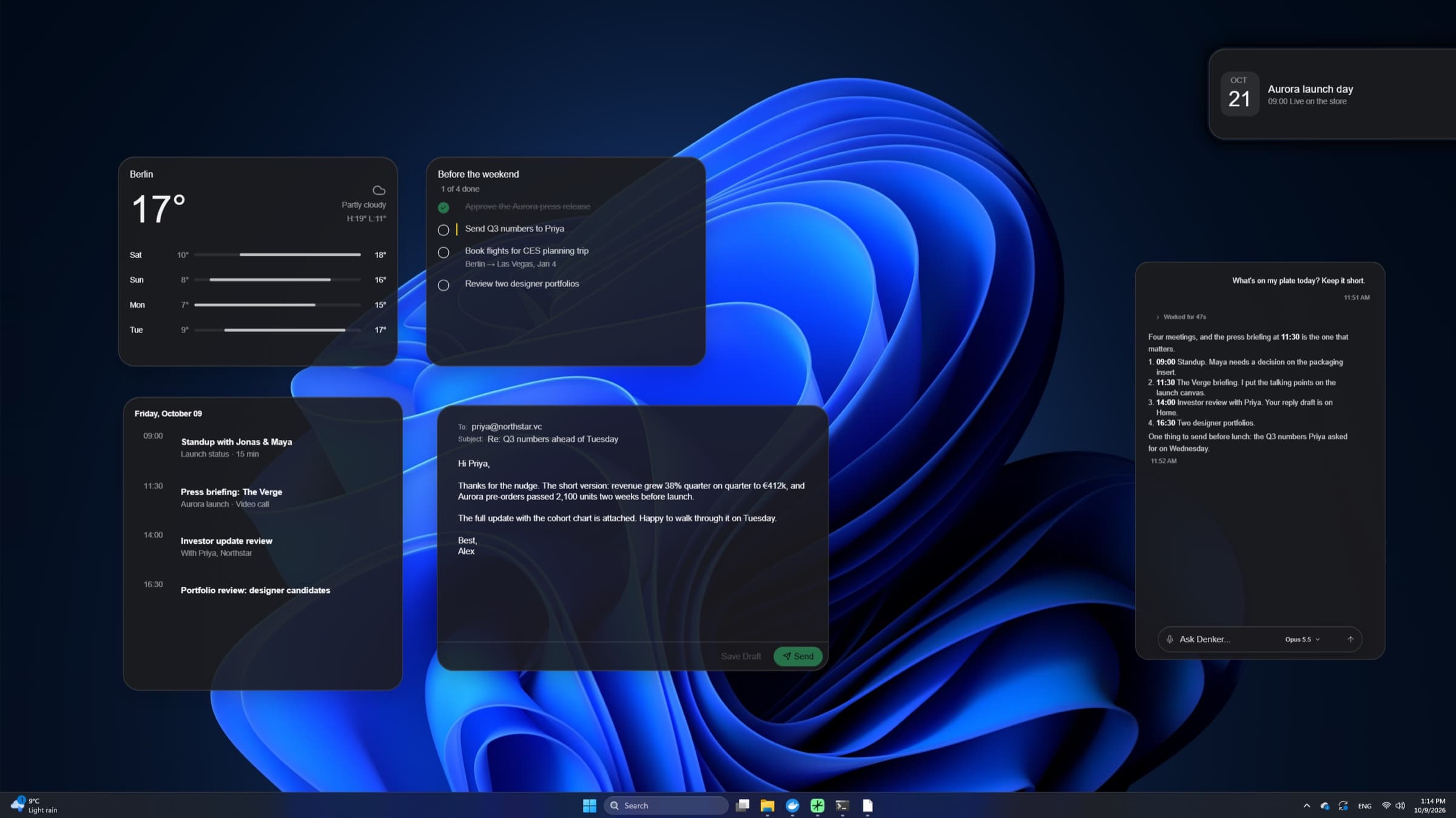
Denker on Windows 11: weather, to-do, agenda and email frames beside a Denker chat
Real screenshot from our Microsoft Store listing, October 2026, with fictional data.

Made for the keys you already use.

Ask from any app without switching windows.

Win+Alt

Ask anywhere

A floating input opens over the app you're in.

Ctrl+Win

Talk to Denker

Speak your request. Hold the keys for a live conversation.

Win+Shift

Dictate anywhere

Your words go into any app, cleaned up or translated if you like.

Caps Lockhold

Record your screen

Show what happens. Clips go with your request.

Shift+ drag

Draw on screen

Mark the spot while you talk or type.

Alt+Space

Open the workspace

Your projects, tasks, chats and memory.

Every shortcut can be changed or turned off in Settings › Keyboard shortcuts.

Ask where you work. Get it done there.

Real screenshots from Windows 11, with fictional data.

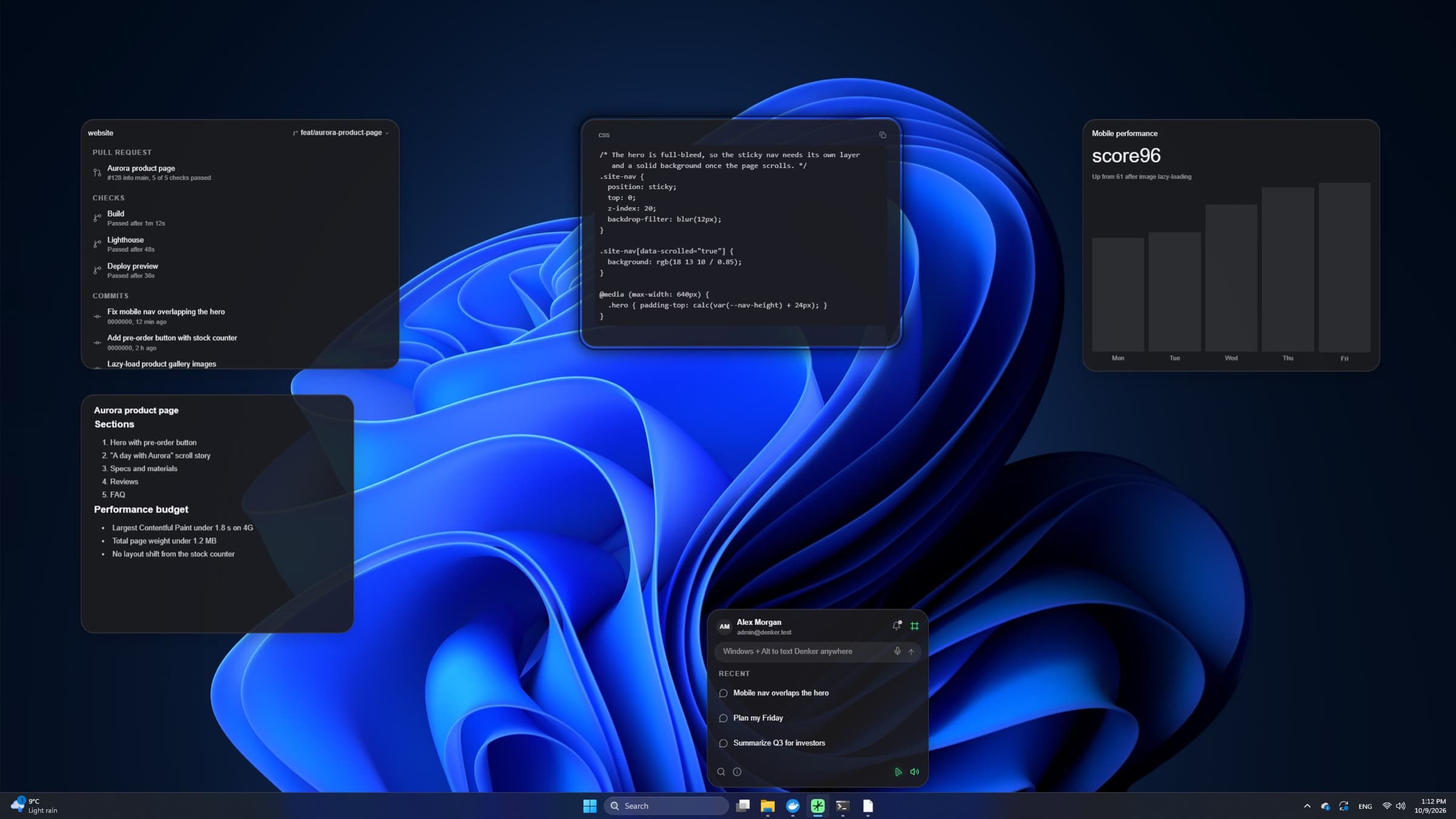
Denker's tray panel above the Windows 11 taskbar, with frames on the desktop
Real screenshot from our Microsoft Store listing, October 2026, with fictional data.

From the taskbar

Ask from the tray. Keep your place.

Click Denker in the system tray to see running tasks and questions, or type a request without leaving your work.

  • Right-click the taskbar button for the jump list
  • Talk with Ctrl + Win, dictate with Win + Shift
  • Hold Caps Lock to record a short clip
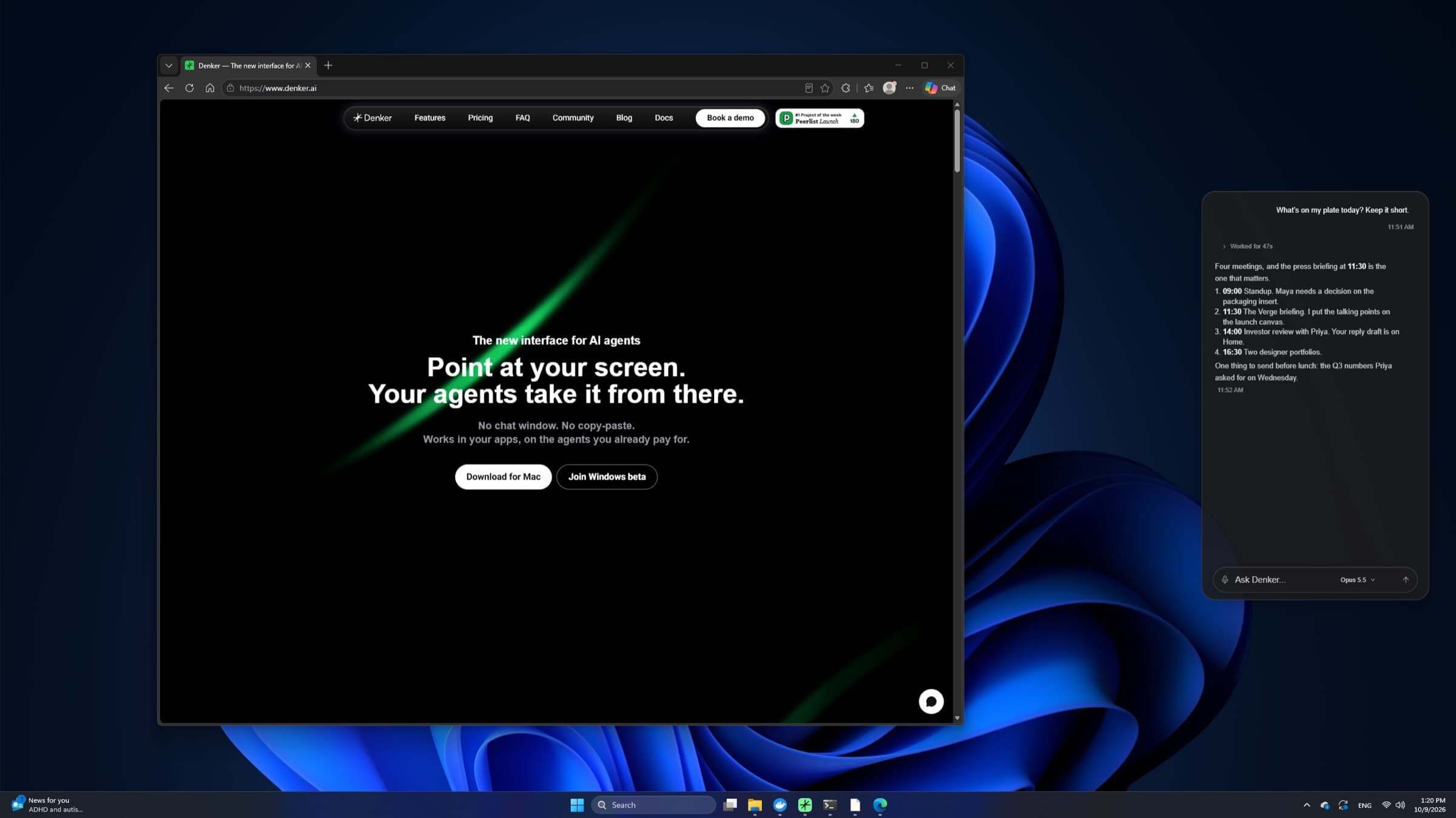
A Denker chat beside Microsoft Edge on Windows 11
Real screenshot from our Microsoft Store listing, October 2026, with fictional data.

Works in your apps

Point at the page. Get the answer beside it.

Denker reads the tabs in your signed-in browser, fills web forms and works in desktop apps. You review, then submit.

  • Chrome, Edge, Brave, Arc and Chromium
  • Clicks, types and picks menus in desktop apps
  • Asks before payments, purchases, installers and app launches

Built into Windows.

Denker lives in your system tray and taskbar.

System tray

Click the icon for running tasks and questions, or type a request. Its menu opens chat, voice and settings.

Jump list

Right-click the taskbar button for the same actions, plus PC control, microphone and speech privacy settings.

Windows voices

Use Denker's voices, or switch to the voices built into Windows.

Your browser

Denker reads and acts in your signed-in Chrome, Edge, Brave, Arc or Chromium.

You stay in control

Approve before Denker moves your pointer. Stop any task from its card.

Signed, up to date

Signed installer. Updates install on their own, also when you installed from the Store.

Get Denker for Windows.

Two ways to install. Both give you the same app, and both keep it updated.

Small installer

A small download from denker.ai. It fetches the latest Denker.

  • Gets the newest version straight from denker.ai
  • Adds Microsoft Edge WebView2 if your PC needs it
  • Updates itself after install
Download the installer

System requirements

Windows
Windows 10 or Windows 11
PC
64-bit (x64)
AI tool
Claude Code, Codex or OpenCode with your own sign-in. Setup helps you install it and sign in.
Account
Free Denker account, with a 14-day Pro trial
Internet
Needed for sign-in and for your AI tool. The Windows speech recognizer is online; the local Whisper model works on your PC.

A few things you might wonder.

For the details, our docs are here to help.

Store or small installer: which should I pick?

Either. The Store is one click. The small installer always gets the newest version straight from denker.ai; Store updates can arrive a few days later. Both update themselves after install.

Do I need an AI subscription?

Denker works with the Claude Code, Codex or OpenCode account you already have. Charges from your AI provider are separate.

Will Denker act without asking?

Denker asks before it moves your pointer, and before any payment, purchase, transfer, installer or app launch. You can stop any task.

Does Denker work in the background on Windows?

On Windows, Denker brings an app to the front to work in it. On Mac, it can also work in an app while you keep working in another.

Bring your agents to your PC.

Point, talk, or draw on your screen. Get the result back in your apps.